Techkeyfactor: COMPUTER
Showing posts with label COMPUTER. Show all posts

OCZ Vector 150 (120GB & 240GB) Review

Posted by MH ,

by Kristian Vättö on November 7, 2013 9:00 AM EST
The shopping season is getting busier and busier as we get closer to the holidays. This is a season that no manufacturer wants to miss because statistically speaking the holiday season accounts for about one fifth of all the retail sales in the US. It's no coincidence that we also see a ton of product releases before the holiday shopping season or right at the beginning of it. For manufacturers it's crucial to have a competitive and up-to-date lineup because no company wants to miss the chance of generating potentially over 20% of their annual revenue.
The SSD market is no exception to the rule. While an SSD may not be the first gift idea to come to your mind, the shipments increase temporarily in Q4 where the holiday shopping season falls. There's even some actual data from a research firm IHS.
Worldwide SSD Shipments
Q1'12Q2'12Q3'12Q4'12Q1'13
Units (in Millions)6.07.39.312.111.5
Part of the reason for the increase is of course the increased sales of PCs, of which some come with a pre-installed SSD. However, the increase is not limited to PC sales as the holiday season is also a busy time for new builds and upgrading existing computers, both of which impact the retail SSD market.
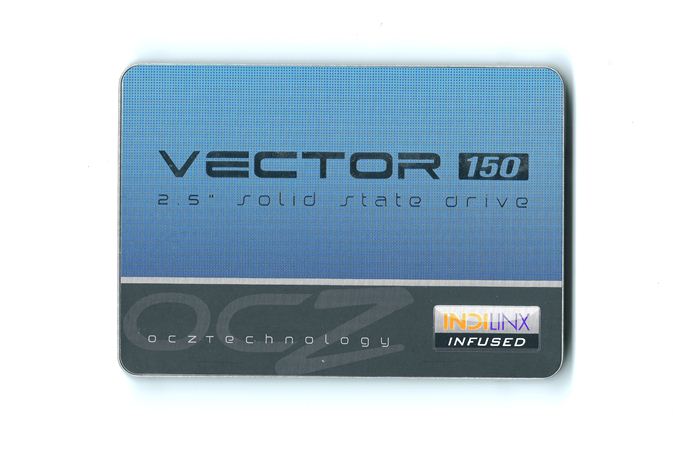
OCZ's answer to the holiday demand is the Vector 150. Like the original Vector and Vertex 450, the Vector 150 is based on OCZ's first fully in-house designed Barefoot 3 controller. OCZ hasn't given out much specifics about the controller other than it's an 8-channel design with two cores (one unnamed ARM Cortex core and OCZ Aragon co-processor). The only change in hardware this round is the switch from 25nm IMFT MLC NAND to Toshiba's 19nm MLC NAND. Toshiba announced the production of second generation 19nm NAND in May but the Vector 150 is using the first generation 19nm NAND. I will however save the details of the differences between Toshiba's first and second generation NAND for a review where we have a drive with the second generation NAND.
The change in NAND makes perfect sense because 25nm NAND hasn't been cost effective for a long time and the 19nm/20nm processes have matured enough to meet the criteria for a high-end SSDs. I believe OCZ went with Toshiba's NAND for performance reasons because generally Toshiba's NAND has been a bit faster than IMFT's. Back when OCZ released the Vertex 450, I asked them why didn't they just release an updated Vector with 20nm IMFT NAND. OCZ told me that the 20nm NAND didn't meet their performance standards for a high-end SSD and hence they released the mainstream orientated Vertex 450 and kept using IMFT's 25nm NAND in the Vector. (In case you didn't already know, Vector is OCZ's enthusiast orientated brand, whereas the Vertex is more mainstream focused.) I put down a quick table comparing the differences between the three Barefoot 3 based SSDs that OCZ has in their product portfolio.
Comparison of OCZ's Barefoot 3 Based SSDs
Vector 150VectorVertex 450
ControllerIndilinx Barefoot 3
NAND19nm Toshiba25nm IMFT20nm IMFT
EncryptionAES-256N/AAES-256
Endurance50GB/day for 5 years20GB/day for 5 years20GB/day for 3 years
Warranty5 years5 years3 years
There are obviously some performance differences too but since those vary depending on the capacity, I decided to leave them out to keep the table readable. The Vector 150 has two major upgrades over the original Vector: Hardware encryption support and higher endurance. Unlike the original Vector, the Vector 150 (as well as the Vertex 450) supports AES-256 hardware encryption. Unfortunately OCZ's implementation does not support TCG Opal 2.0 and IEEE-1667 specs, so it's not compatible with Windows 8's hardware accelerated BitLocker. The lack of TCG Opal 2.0 support also means that there is no support for encryption software such as Wave and WinMagic, which support hardware accelerated encryption similar to Windows 8's BitLocker. I think more manufacturers should implement these specifications as it makes encrypting a drive much easier with no impact on performance that comes from software implemented encryption. Encryption via ATA password is way more complicated for the end-user and it's also more vulnerable. 

The 2.5x increase in endurance is pretty impressive especially when taking into account that we're dealing with smaller lithography NAND with lower endurance. OCZ has achieved the higher endurance with a combination of three things: Advanced flash management and more validation and over-provisioning. OCZ didn't want to go into details about their flash management technologies, which isn't surprising as those technologies tend to be proprietary. However, I would expect at least some sort of adaptive DSP to extend the life of the NAND. Increasing the amount of over-provisioning will lower the write amplification, which in turn will reduce NAND writes and allow for more host writes. As you can see in the table below, OCZ has switched to ~12% stock over-provisioning similar to Corsair's Neutron and SandForce drives.
The final part in the endurance equation is validation. In a perfect world you would just multiply the NAND's P/E cycles with the NAND's capacity to get endurance but unfortunately it's not that simple. You do get the NAND endurance with that equation but there are other parts that need to be taken into account. Validation has to take all potential causes of failure (such as voltage regulators) into account, so the endurance number is a result of the manufacturer's internal validation process. It's an expensive and time consuming process because what you are basically doing is taking hundreds or even thousands of drives and testing them in various environments by writing to them until they die.
It's good to keep in mind that the endurance rating is usually based on a 4KB random write workload, so your NAND writes may end up being way more than 50GB a day. One of the biggest reasons why manufacturers have to limit the warranty with an endurance rating is because otherwise enterprises could use much cheaper consumer SSDs and use the warranty as a basis of getting the drive replaced once they've worn it out. The manufacturers want the enterprise customers to pay the premium for their enterprise SSDs since they've invested on the extra validation required by the enterprise market and it's a market that tends to have higher profits as well.
I do have some unfortunate news when it comes to reliability, though. The 240GB sample OCZ sent us died during our testing. This isn't the first (and I doubt it will be the last) SSD to unexpectedly die during our tests but a failure always raises concern about overall reliability. The drive still drew power (I checked with a multimeter) but it wouldn't show up in the BIOS or Windows. To me this sounds like the inherent power loss issue that nearly all SSDs have.
The problem with SSDs is that once the you lose power, everything in the DRAM cache will be lost. Fortunately manufacturers don't usually store any user data in the DRAM but what they do store is the NAND mapping table for faster access. The NAND mapping table is of course stored in the NAND too but in case there has been changes to the mapping table before the controller has had time to back it up to the NAND, it may corrupt the whole table. A corrupted mapping table means that the controller can't match LBAs to physical NAND locations, so the controller has no idea where your data is. The way SSDs handle this is to go into debug mode, which for some means they won't be recognizable at all or for others they show up as very small volumes (remember the Intel SSD 320 8MB bug?). We don't know yet if this is really the cause of the failure but I did send the drive back to OCZ for failure analysis already and I'll be updating the article as soon as I hear back from them.
OCZ Vector 150 Specifications
120GB240GB480GB
ControllerIndilinx Barefoot 3
NAND19nm Toshiba MLC
DRAM Cache512MB512MB1GB
Sequential Read550MB/s550MB/s550MB/s
Sequential Write450MB/s530MB/s530MB/s
4KB Random Read80K IOPS90K IOPS100K IOPS
4KB Random Write95K IOPS95K IOPS95K IOPS
Steady-state 4KB Random Write12K IOPS21K IOPS26K IOPS
Power Consumption0.55W Idle / 2.5W Active
Warranty5 years or 91TB of writes
The Vector 150 doesn't support Windows 8's DevSleep functionality, hence the idle power consumption is fairly high. In my opinion it's a bit of let down because most of the high-end SSDs are able to get into very low power states while idle, which results in longer battery life for portable computers. For comparison Samsung's SSD 840 Pro draws only 36.6 milliwatts while idle with HIPM and DIPM enabled, so the difference is over tenfold.  
It's also good to see OCZ reporting steady-state random write numbers. The peak numbers are only meaningful if you're dealing with an empty drive and hence it's good that manufacturers are being more open about the performance when dealing with a heavily used drive. I hope more manufacturers will follow suit and start including steady-state numbers as a part of the product specifcations.
As I described above, the 5-year warranty has an endurance condition. The warranty is 5 years or 91TB of writes, whatever comes first. The 91TB figure is derived from 50GB of writes per day (50GB x 365 x 5) and it's the same for all capacities. OCZ did tell me that they're willing to look into individual cases in case the drive dies after 95TB of writes for example but users who will be writing more than 50GB a day should still look into enterprise solutions.
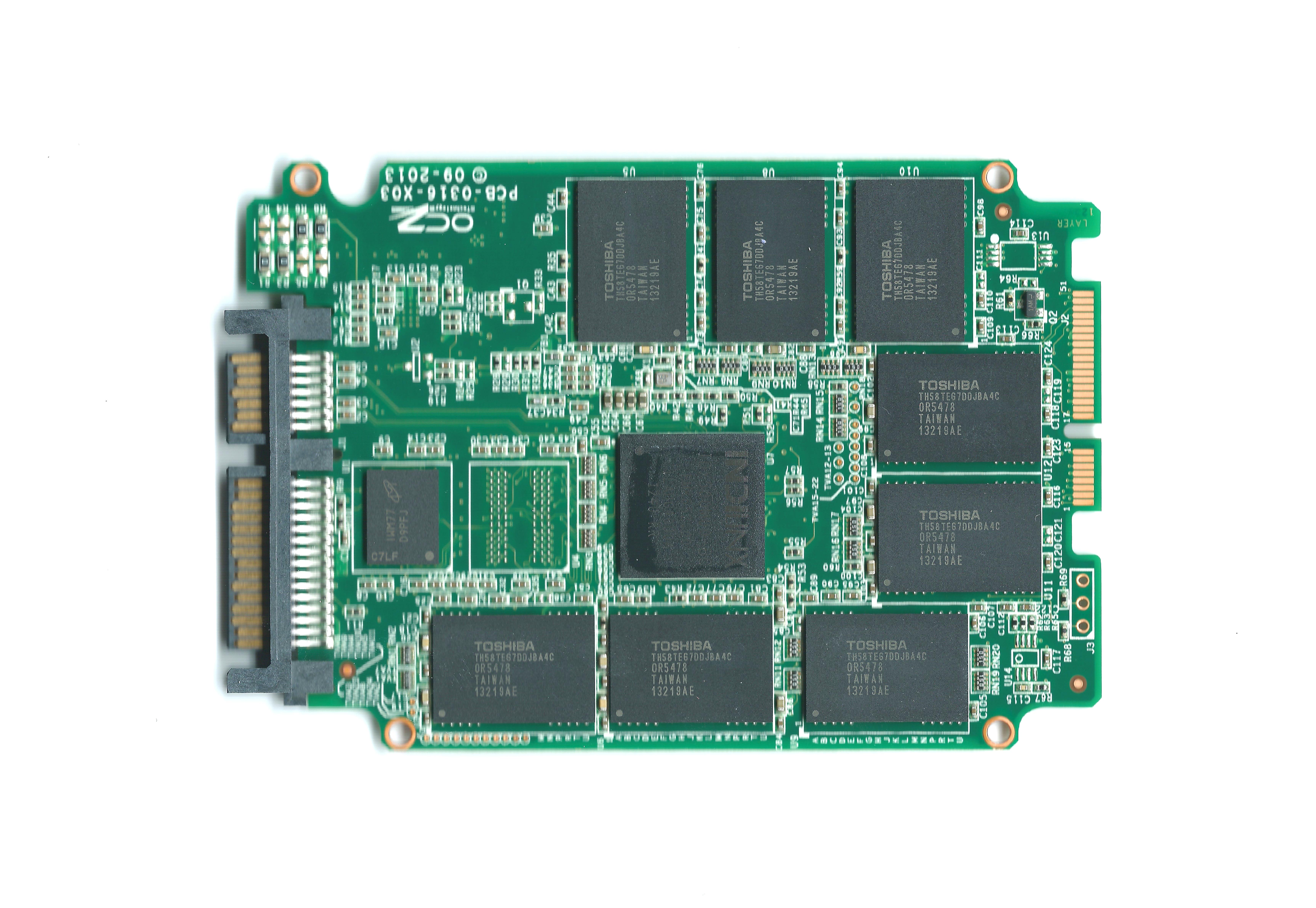
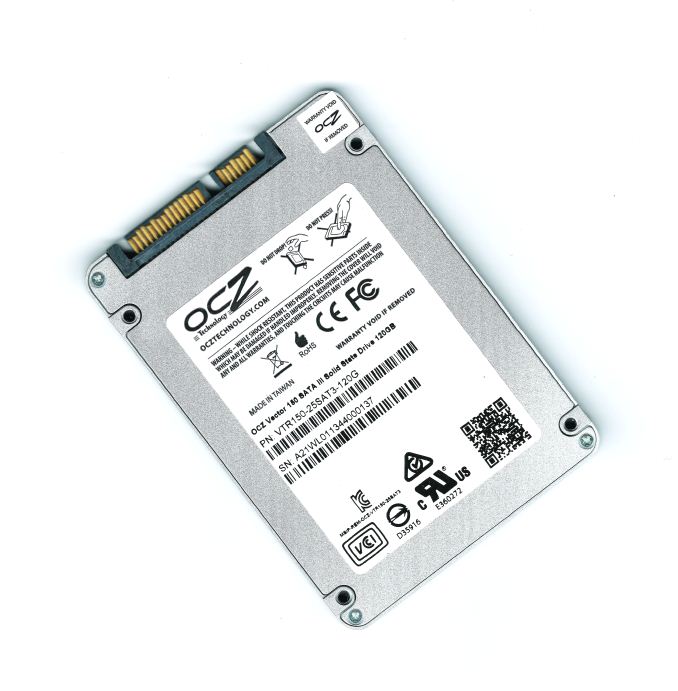
With the original Vector OCZ bought NAND in wafers from Micron and did their own validation and packaging. With the Vector 150 (and Vertex 450) that has changed and OCZ uses pre-packaged NAND from Toshiba. I believe NAND OEMs aren't very willing to sell their latest generation NAND in wafers because they know the profit margins are much better with pre-packaged NAND and with limited supply the clients don't have very many options. There's a total of 16 NAND packages (2x8GB each), eight on each side of the PCB. There are also two Micron 256MB DDR3-1600 chips working as a cache.

Test System

CPUIntel Core i5-2500K running at 3.3GHz (Turbo and EIST enabled)
MotherboardAsRock Z68 Pro3
ChipsetIntel Z68
Chipset DriversIntel 9.1.1.1015 + Intel RST 10.2
MemoryG.Skill RipjawsX DDR3-1600 4 x 8GB (9-9-9-24)
Video CardXFX AMD Radeon HD 6850 XXX
(800MHz core clock; 4.2GHz GDDR5 effective)
Video DriversAMD Catalyst 10.1
Desktop Resolution1920 x 1080
OSWindows 7 x64

Thanks to G.Skill for the RipjawsX 32GB DDR3 DRAM kit 
Source:AnandTech.


AnandTech Storage Bench 2013-Here-
Second-generation Retina MacBook Pros get a boost from Haswell

Posted by MH ,


13" model now starts at $1,299, 15" at $1,999, shipping today.


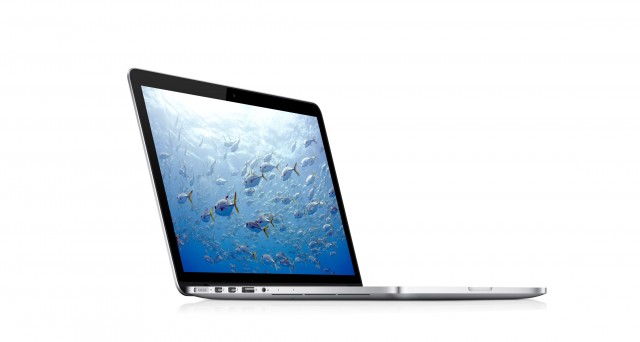
More than a year after introducing the first Retina MacBook Pro at the 2012 Worldwide Developer Conference, Apple has announced that the computers will be getting a refresh at today's media event. The most significant update to the new models' specifications comes from Intel's brand-newHaswell processors, which should improve the battery life significantly compared to their Ivy Bridge-based predecessors.
Updates to both the 15-inch and 13-inch models were revealed today, which gets the two models on the same refresh schedule. (The 15-inch model was originally introduced last June at the 2012 WWDC, but the 13-inch model was introduced last October.) The 13-inch laptop starts at $1,299. The 15-inch model starts at $1,999. Both models ship today.
The upgraded 13-inch Macbook Pro comes with a 2.4GHz (2.9GHz Turbo) Core i5, 4GB of DRAM, a 128GB SSD, and Haswell's integrated Iris GPU. This means that the baby Macbook Pro finally has a better GPU than the MacBook Air—the 2560×1600 screen will continue to soldier on with integrated graphics, but the Iris 5100 GPU should be a decent step up in performance from the HD 5000 GPU in the Airs.
The new 15-inch Retina MacBook Pro is a logical upgrade over last year's model. The entry-level Retina MacBook Pro now uses a Haswell-based quad-core 2.0GHz Core i7 CPU that can Turbo Boost up to 3.2GHz, while the high-end model uses a 2.3GHz (3.5GHz Turbo) part by default. Both laptops can be upgraded to 2.6GHz (3.8GHz Turbo) CPUs at purchase. To power the laptop's 2880×1800 display, Apple swaps out the Nvidia GeForce GT 650M GPU in last year's model for an upgraded GeForce GT 750M with 1GB of GDDR5 graphics RAM in the high-end models, though the lower-end models will only include the Intel Crystalwell (that is, Iris 5200) integrated GPU. The GeForce 700M GPUs are architecturally similar to their predecessors, but higher clock speeds and tweaks to that architecture should be good for a decent performance boost. As in last year's models, OS X can dynamically switch between the integrated Intel GPU and the dedicated Nvidia GPU based on workload to save power.
Intel says that Haswell should enable big jumps in general-usage battery life, and to that end Apple has increased the battery life figures for all Retina MacBook Pros from seven hours to more than nine hours.
Other new, minor tweaks include a 1080p FaceTime webcam, which replaces the 720p webcam in the outgoing models. Like the MacBook Air and 2013 iMac before it, the MacBook Pros are also picking up 802.11ac wireless networking (the adapter will continue to connect to 802.11n, g, b, and a networks). Both models also include higher-bandwidth Thunderbolt 2 ports. The 13-inch model has dropped a bit of weight and slimmed down, to 3.46 lbs and 0.71 inches.
And what of the non-Retina MacBook Pros? There's just one left: a non-Retina 13-inch model at $1199, and it hasn't been upgraded from last year's Ivy Bridge configuration. That means a 2.5GHz dual-core i5, Intel's integrated HD 4000 GPU, and yes, a 500GB mechanical hard drive. The 15-inch non-Retina device appears to have been put down, though. Rest easy, old friend, and say hi to the white plastic MacBook for us when you get to that farm upstate.
We will continue to update this post as more information becomes available.
Source:ArsTechnica.

Nokia brings its biggest Lumias yet, including a Windows RT tablet

Posted by MH ,

New Lumia phones sport 6-inch displays.


by  - Oct 22 2013, 5:55pm WEDT


To open Nokia World 2013 in Abu Dhabi, former CEO Stephen Elop unveiled Nokia's first tablet alongside several new handsets. Rumors had been building that some bigger Lumias were coming, with Windows Phone Update 3 including support for 1080p phones, and fuzzy pictures of increasingly larger handsets being leaked. Looking over the lineup and specifications, there's a lot to like in the new Lumias.

Lumia 2520—10.1 Windows RT Tablet

Nokia's 10.1-inch Lumia 2520 Windows RT Tablet.

Nokia has always had the design chops to make covetous devices, and with its first Windows tablet you get the same design language, just bigger. The Lumia 2520, Nokia's first Windows RT device, moves the company into direct competition with the newly launched Surface 2. The 10.1-inch slate features a 1080p display, Qualcomm Snapdragon 800 SoC, LTE, Wi-Fi, and a 6.7MP rear camera with Zeiss optics and an impressive f/1.9 aperture. The display's touch interface features the same capacitive layer we've seen from other Lumias, so you won't need to take off your winter gloves in order to operate the tablet.
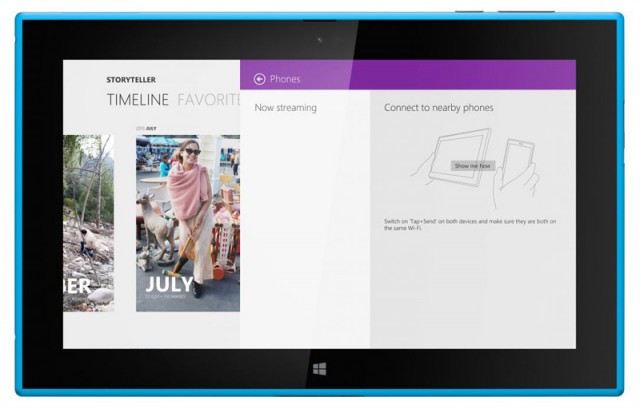
Windows RT 8.1 drives the device, and Nokia has included ports of some of its suite of Windows Phone apps, including Here Maps for offline navigation and Nokia Music and Mix Radio. Two new apps, Storyteller and Video Director, make keen use of the camera. It's little surprise that Nokia would attempt to offer a premium camera experience on any of its devices, even if cameras on tablets aren't traditionally a priority. That Nokia's focus is on video rather than still shots hints that the company has researched user behavior and expects video to be the primary use case for a device this size.
Aping the Surface 2's accessories, Nokia is releasing the Power Keyboard cover. Featuring a keyboard and touchpad, the cover also has an additional battery and two USB ports. The wrap-around cover looks to be a mix between Microsoft's Touch Cover and Type Cover, offering physical keys with a soft-touch body. Nokia reports battery life in the 16-hour range with the Power Keyboard attached and 11 hours without it. Nokia has also baked in its charging tech, which it claims allows for 80 percent of battery life to be recovered in just one hour of charging.
The Lumia 2520 comes in at $499 and will be available in red, cyan, white, and black. The $50 premium over Microsoft's Surface 2 nets you LTE and NFC, though no 64GB option has so far been announced. The Power Keyboard cover will cost you another $149. Sales will begin to roll out in the US, UK, and Finland shortly, with other markets rolling out soon after. In the US, versions will be available for both AT&T and Verizon, with the AT&T device supporting both 3G and LTE and the Verizon one being pure LTE.

Lumia 1520 and 1320—big phones, different prices

Nokia Lumia 1320.

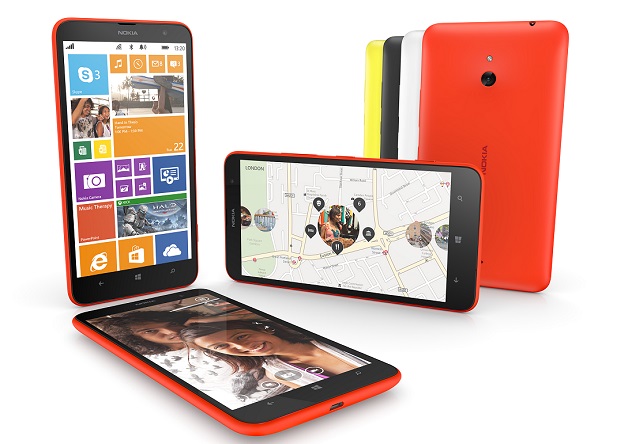
The Lumia 1520 and 1320 extend the recipe Nokia used for the Lumia 1020—with some choice substitutions. The 1520 is the new flagship, though it doesn't have the ultimate camera. Featuring a 1080p 6-inch display, Qualcomm Snapdragon 800 SoC, 2GB of RAM, and a 20MP PureView camera, the 1520 comes laden with all the advances you'd expect—and a premium $749 price tag to match. The large volume allows it to house a 3400 mAh battery and a microSD slot to compliment the 32GB of onboard flash. A new addition to Nokia's camera software is the ability to shoot in RAW, a feature that will come to the Lumia 1020 in a later update. The 1520 will be exclusive to AT&T when it launches in the US.

The 1320's price, $339, gives you a good idea of what you'll find inside. While still a 6-inch device, the 1320 makes do with a 720p display (a rarity among Nokia's Windows Phone 8 devices, which have tended to favor 768p) and a Snapdragon 400 SoC. The phone is aimed at those who still have an interest in large devices but don't want to spend the big bucks to get one. And although it isn't the powerhouse of its stablemate, it does retain the 1520's 3400 mAh battery. Omitted, though, is the PureView camera; Lumia 1320 buyers will have to be content with a 5MP shooter, though the same video and camera software suite will be made available.
These two approaches to the "big phone" market should cover all the demographics interested in larger devices, and they are somewhat enabled by the advances Microsoft made in its GDR3 update.

Asha—For the rest of the world

Nokia's Asha Phones: Just as colorful, oh so affordable.
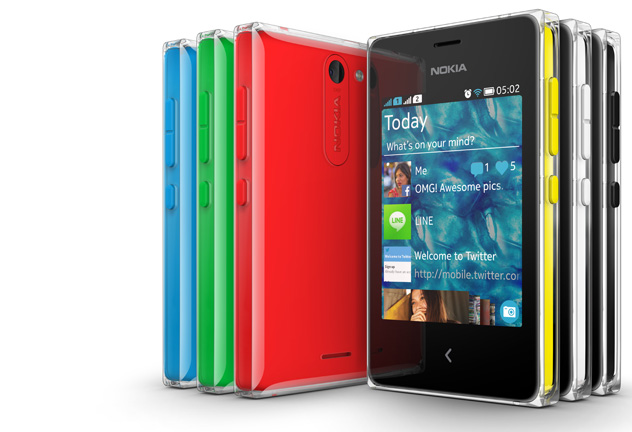
US readers are likely unfamiliar with Nokia's Asha platform, though folks in the developing world probably are. Not quite a smartphone platform, Asha has been at the heart of Nokia's push into emerging markets around the world. The new handsets (Asha 500, 502, and 503) are all priced below $100 and feature modest specifications while still drawing from Nokia's design language and historically high build quality. Interestingly, Microsoft will be able to use the Nokia name only with Asha phones; Lumias will presumably fall under the Microsoft or Surface brands. The challenge for Microsoft becomes helping Asha customers make the transition to Lumia phones despite losing the Nokia name. For now, you can have a brand-new Nokia Asha 500 for just $69, though I would suggest the 503 since it supports 3G data.
Listing image by Nokia.
Source: arstechnica.

The End of the ATX PC Form Factor

Posted by MH


BY NATHAN EDWARDS 
Smaller motherboards allow for smaller cases with more efficient airflow, while still giving you everything you need for a powerful desktop computer. You lose some PCI expansion slots, but how many of those does the typical PC gamer really need?


The standard ATX motherboard form factor has been around for a long time (since 1995!), long enough that its layout doesn't really make any sense anymore. We've tried to kill it in the past, to no avail--Dell was the last BTX holdout--but what may finally kill ATX are its smaller siblings. Smaller motherboards allow for smaller cases with more efficient airflow, while still giving you everything you need for a powerful desktop computer. You lose some PCI expansion slots, but how many of those does the typical PC gamer really need?
Valve is clearly betting on a post-ATX world. Its Steam Machine test units measure 12 inches by 12 inches by 3 inches and use standard desktop parts--including, Valve says, replaceable motherboards, so they're almost certainly microATX or mini-ITX based

ATX vs. MicroATX vs. Mini-ITX

You're probably already familiar with the standard ATX motherboard layout. After all, it's been in most of the desktop computers you've owned for the last 20 years--unless you bought a lot of Dells last decade. You know how it goes: 12 inches high, 9.6 inches wide, I/O ports on the top of the left edge, CPU in the upper middle, RAM to the right of it (and sometimes to the left). SATA ports on the lower right, expansion slots in the lower left quadrant. A typical ATX motherboard has six to eight SATA ports, four or more RAM slots, and seven or eight expansion slots.
I'd argue that many of those port and slots are unnecessary. You can build a fantastic desktop and never need more than two or three storage drives, or more than one graphics card and a sound card. You really only need two RAM slots, thanks to 8GB DIMMs, so why would you put all that into a case that's four cubic feet in volume?
A smaller case with the parts closer together will actually be easier to cool.
A standard ATX case takes in air in the lower part of the front panel, and exhausts it out the top and upper rear of the case. This provides a consistent airflow, but the problem is that the major heat-producing parts--the CPU, GPU, and drives--are not all in a straight line, and they're far enough apart that it's hard to cool all of them efficiently with just a few fans. Hence the giant wind tunnels you see in enthusiast systems with a half a dozen fans. A smaller case with the parts closer together will, counter-intuitively, actually be easier to cool.

MicroATX boards are generally 9.6 by 9.6 inches--just a few inches shorter than ATX motherboards. They tend to have four RAM slots, a full-sized CPU socket, six or so SATA ports, and four or fewer expansion slots. I'd argue that this is the enthusiast sweet spot these days, rather than ATX. A MicroATX system can accommodate a dual-GPU setup or a single GPU and a discrete sound card. If you want both, you'll have to go to full ATX.

Loyd's latest gaming PC build is on a MicroATX board and case, and he had plenty of room for all the components of a powerful gaming computer. He could even have used a mini-ITX board and case, if he didn't want a discrete internal sound card. I'm in exactly the same boat--if it wasn't for the sound card I use to power my headphones, I could be using a mini-ITX board and case too. But then, I already have my MicroATX case and mobo, so there's no reason for me to side-grade. My Sandy Bridge i5-2500K and Z68 motherboard will last me for another few years easily.
Move to Mini-ITX and you do end up with a few size-based constraints. Mini-ITX boards are 6.7 inches squared, and weren't originally designed for full-sized desktop CPU sockets at all. Thankfully, radder heads prevailed and we've been able to buy Mini-ITX boards with Intel and AMD desktop sockets for half of a decade. Mini-ITX boards with desktop sockets tend to use two full-sized RAM slots, have four SATA ports, and one PCIe x16 slot, although some with the Thin Mini-ITX standard use desktop processors but mobile RAM. Thin Mini-ITX boards often have onboard mini-PCIe and mSATA slots for WiFi cards and mini SSDs, but no x16 PCIe slot. These are usually used for very low-profile situations, like all-in-one computers or point-of-sale machines, and they're not really interesting for gamers.
If I were building a system today, and I was using an external sound card or USB speakers like the Bowers & Wilkins MM-1s, I'd use a mini-ITX board and case. Even a great gaming PC really only needs a mobo, CPU, RAM, one graphics card, an SSD, and a mass storage drive. And an optical drive, if you're fancy. A good mini-ITX case, like the BitFenix Prodigy or Silverstone's Fortress FT03-Mini or Sugo SG-08, can easily accommodate a powerful system and cool it efficiently with just one fan.
Looking for more on specific ATX, MicroATX, and mini-ITX cases? Check out my earlier guides: The Right Case for Your Next PC Build, Part One and Part Two.

What's are People Actually Building?

If smaller form factors were really enough for gaming, wouldn't we see mini-ITX and MicroATX mobos and cases, and full-on small form factor gaming rigs, increasing in popularity?
SILVERSTONE'S TJ08-E MICROATX CASE.
Yep. I asked Tony Ou at Silverstone if he could share some case sales stats with me. In 2010, three of Silverstone's top ten most-sold cases were MicroATX, one was mini-ITX, and the other six were ATX midtowers or full-towers. In 2011, five of the top ten were MicroATX and two were mini-ITX. Last year, the top five were all MicroATX, the 6th and 7th best-selling cases were Mini-ITX, 8 and 9 were MicroATX again, and only the tenth best-selling case was a full ATX case.
Now, those numbers came with some caveats. Tony said, "MicroATX and Mini-ITX have always been major part of our case business so I don’t think we are an accurate indicator for the overall market," and added that SFF cases are more popular in areas with higher incomes, like "North America, Japan, and some parts of Europe," but that the rest of the world is still ruled by full-sized ATX cases. Still, the fact that small form factor cases were the top nine best selling cases for Silverstone shows that there's real demand.
Small-form-factor gaming rigs like the Alienware X51iBuyPowerRevoltDigital Storm Bolt, and Falcon Tikiare becoming quite popular. Those cases take the mini-ITX form factor (or, rarely, design their own motherboards) and compress it even further through the use of clever engineering and riser cards. Because they're even smaller than off-the-shelf small form factor cases, these mini gaming rigs tend to cost more than the DIY versions. But man, the small size is appealing. (It's not online yet, but the November 2013 issue of Maximum PC has a four-way roundup of these mini gaming rigs.)
It looks like Valve's Steam Machine, at least in its prototype configuration, will follow the same basic design as the rigs mentioned above. The prototypes will run full-sized GPUs up to the size of Nvidia's Titan, use hybrid hard drives (presumably the 2.5-inch 1TB Seagate Barracuda XT), have 16GB DDR3/1600, run 450W power supplies, and be 12x12.4x2.9 inches--slightly smaller than the Falcon Northwest Tiki.

New Units of Computing

What about folks who use a desktop for the form factor, not the power? Even if I didn't play games, after all, I'd want a 27-inch monitor, keyboard and mouse in my home office. It's just easier to work with that setup than with a 13-inch laptop.
If that's what you want--desktop input/output without the actual desktop--then you have two options. Either get a laptop and a docking station, or a really small form-factor PC.
Honestly, if I wasn't a gamer, I'd get an ultrabook or ThinkPad (or ThinkPad ultrabook) and a docking station so I could connect a nice 27-inch monitor, keyboard and mouse, speakers, and external drive when I was at my desk.
But if I wanted a little more power, or didn't plan on taking my machine with me, ever I'd get one of the newer, even smaller computers that are coming out, like the Intel Next Unit of Computing (NUC). Unlike even tinier and cheaper mini-boards like the Raspberry Pi, the NUC and similar devices like the Gigabyte Brix II use tiny motherboards with full x86 CPUs--usually soldered-on mobile CPUs--and require you to add your own mobile RAM, mini-PCIe WiFi cards, and mSATA SSDs. They're limited to integrated GPUs, but in the case of the Brix II, for example, that means Intel's top-end integrated Iris Pro graphics, which are powerful enough.
Xi3's Piston, clearly designed as some sort of extra-compact Steam Machine, has sort of been revealed as an even smaller alternative to the more traditional Steam Machines of Valve's Hardware Test.

The Old Ways

Obviously, there are still people for whom an ATX full-tower PC makes sense, but they're not the majority of desktop builders and they haven't been for a long time. Most of us really only need one PCIe x16 slot, a couple of RAM slots, a CPU socket, and a few hard drive mounts. If you need multi-GPU setups, a sound card, a RAID card, or tens of terabytes of space--or all of the above--a full ATX board in a full-sized chassis is what you need. But for the rest of us--even most of us--a small-form-factor PC is plenty.
Source: Tested.

Techkeyfactor copyright © 2015 allright are reserved. Powered by Blogger.

Top5 Events